







How to Tell the Front and Back of DTF Film Apart

Read time: 9 minutes
Introduction
One of the most common beginner mistakes in DTF printing costs you an entire sheet of film, a full ink deposit, and several minutes of production time — before you even realize what went wrong.
Printing on the wrong side of DTF film.
The ink slides across the surface, refuses to stay in place, and either smears across the print head or produces a blurry, unusable output that cannot be salvaged. If you are using a roll-fed printer, you may not notice until several meters of wasted film have passed through the machine.
The good news: identifying the correct printable side of DTF film takes less than 10 seconds once you know the methods. This guide covers every reliable test — visual, tactile, and using water — plus the differences between single-sided and double-sided film, how hot peel and cold peel variants affect identification, and how to store film correctly to protect the coating you are trying to print on.
Key Takeaways
- DTF PET film has two distinct sides: the printable side (with ink-absorbing coating) and the non-printable side (plain PET substrate)
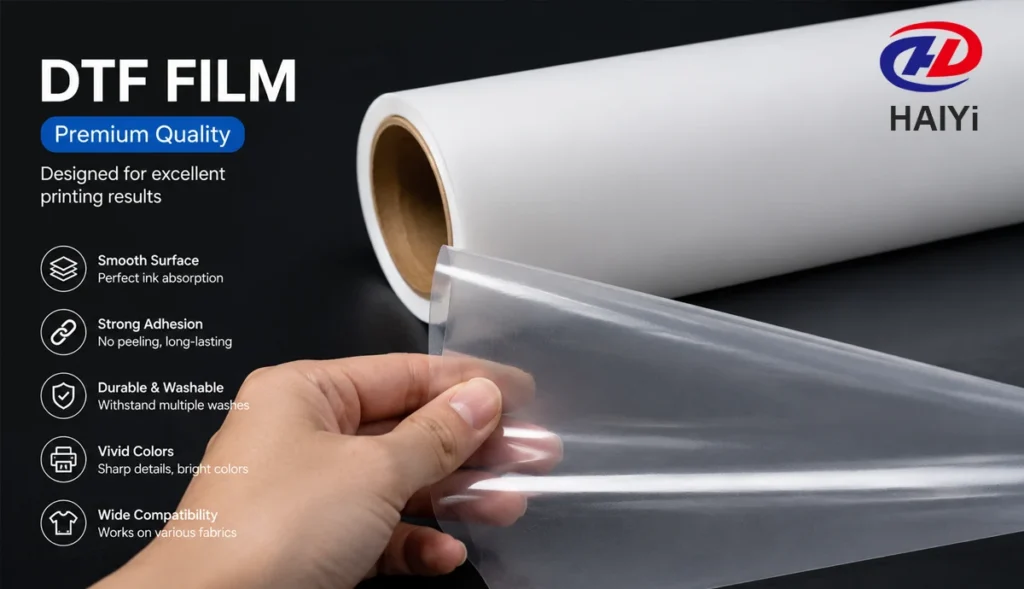
- The printable side is always the matte or frosted-looking surface; the non-printable side is glossy and smooth
- Double-sided matte film (dual-matte) has a matte coating on both surfaces — use the water drop test or touch test to identify the slightly tackier printable side
- Printing on the wrong side makes the ink impossible to absorb — it beads, slides, and cannot dry or cure correctly
- Hot peel and cold peel refer to when you remove the film from the fabric after pressing — not to which side you print on
- DTF film should be stored flat, in a cool dry location, away from direct sunlight and humidity — the coating degrades when exposed to moisture or UV
Why the Front and Back of DTF Film Matter
DTF PET film looks like a simple piece of plastic from a distance. Under that appearance is a carefully engineered coating — applied only to one side of the PET substrate — that controls everything about how DTF printing works.
The coating does three things:
Absorbs and holds DTF ink precisely. The coating is porous at a microscopic level, designed to accept water-based pigment ink at the specific absorption rate that prevents bleeding while ensuring full color saturation. Plain PET substrate has no such porosity — ink deposited on the uncoated side sits on the surface and cannot be absorbed.
Holds hot-melt adhesive powder. After printing, adhesive powder is applied to the wet ink. The powder adheres only to the ink surface — not to the film coating itself. This is made possible by the anti-static properties of the coating on quality dual-matte film. On the plain PET side, powder adhesion is unpredictable.
Releases cleanly from the design after heat pressing. During heat press application, the coating releases the bonded design onto the fabric, leaving no residue. This release behavior is a designed property of the coating — the plain PET side has no such release engineering.
None of these functions work on the wrong side. If you print on the non-coated surface, the entire DTF workflow fails at step one.
Single-Sided vs Double-Sided DTF Film: What’s the Difference?
Understanding the film type you are working with is the first step to correctly identifying the printable side.
Single-Sided DTF Film
Standard entry-level DTF film has the ink-absorbing coating applied to one side only. The printable (coated) side has a visibly matte or slightly frosted appearance. The non-printable side is clearly glossy and smooth — like standard PET plastic sheeting.
Identifying the printable side on single-sided film: Easy. The matte side is the printable side. The glossy side is the back. There is no ambiguity.
Double-Sided DTF Film (Dual-Matte)
Dual-matte film has a matte coating on both sides — the printable side has the full ink-absorbing coating, and the reverse side has a secondary anti-static matte coating that prevents powder adhesion and static buildup during production.
This is the production standard for professional print shops because the anti-static back coating prevents powder from clinging to non-print areas during the powdering step. The result is cleaner transfers with no powder contamination outside the design.
The challenge: Because both sides look matte, the visual test alone is insufficient for dual-matte film. You need additional methods — covered in the next section.
How to Identify the Printable Side: 4 Reliable Methods
Method 1 — Visual Inspection (Works for Single-Sided Film)
Look at the film under a consistent light source — natural daylight or a bright overhead light.
- Printable side: Matte, slightly frosted, no reflections. Appears uniform and non-reflective.
- Non-printable side: Glossy, smooth, reflects light clearly. Appears shiny like standard clear plastic.
For single-sided film, this test is definitive. For dual-matte film, proceed to Method 2 or 3.
Method 2 — Touch Test (Works for Both Film Types)
Run your fingertip lightly across both sides of the film.
- Printable side: Slightly textured, mildly rough or “grabby” under your fingertip. The coating has micro-porosity that creates a subtle tactile difference.
- Non-printable side: Smooth and slippery, like touching regular plastic or glass.
The difference is subtle on dual-matte film — the back coating is smoother than the print coating, but not as dramatically different as on single-sided film. Use this test alongside Method 3 for confirmation on dual-matte.
Method 3 — Water Drop Test (Most Reliable for Dual-Matte Film)
Place the film flat on a clean surface. Apply a single small drop of water to each side using your fingertip or a pipette.
- Printable side: The water drop spreads outward or is absorbed slightly into the coating within a few seconds. The coating is designed to accept water-based ink — it accepts water too.
- Non-printable side: The water drop holds its shape, forming a bead that sits on the surface without spreading. Plain PET is hydrophobic.
This is the most reliable test for dual-matte film where both sides appear visually similar. The difference in water behavior is clear and unambiguous.
How to perform the water drop test:
- Lay a piece of the film flat on a clean, dry surface
- Ensure both sides are at room temperature and dry
- Place one small water drop on each side using a fingertip
- Observe for 5 to 10 seconds
- The side where the drop spreads or absorbs = printable side
- The side where the drop beads = non-printable side
Method 4 — Check the Roll Direction and Packaging Label
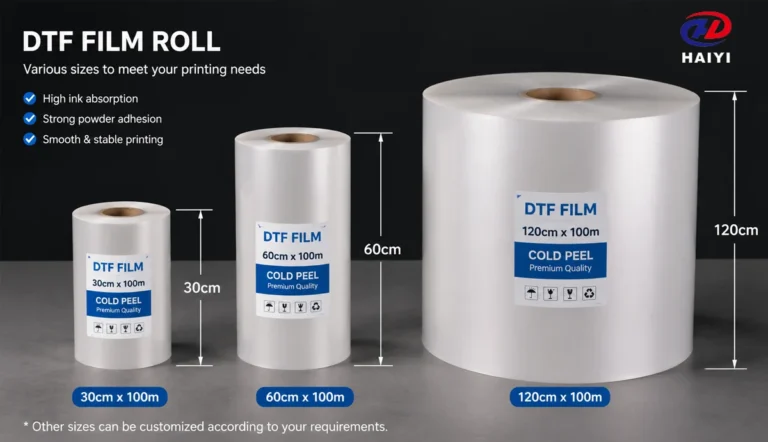
Most DTF film rolls are wound with the printable side facing inward — toward the core. When the roll unwinds, the printable side faces up (away from the floor) when the roll sits in its holder. This is not a universal standard, but it is the most common configuration.
Check the film packaging or product label for orientation instructions. Quality film suppliers print the roll label with orientation guidance — “print side in” or “coated side facing roll core” — on the packaging.
If no label guidance is available, use Methods 2 or 3 to verify before loading into the printer.
Hot Peel vs Cold Peel DTF Film: Does Side Identification Change?
This is a common source of confusion — and the answer is simple.
Hot peel and cold peel refer to when you remove the film from the fabric after heat pressing — not to which side you print on.
Both hot peel and cold peel DTF film have the same coating structure. The printable side identification methods (Methods 1 through 4 above) work identically for both types.
The difference is in the release timing after pressing:
Hot peel film: Remove the carrier film immediately after pressing, while the transfer is still warm. The adhesive is still partially fluid, which makes peeling easy. Best for fast production workflows.
Cold peel film: Allow the transfer to cool completely to room temperature (60 to 90 seconds) before removing the carrier film. The adhesive fully solidifies before separation, producing cleaner edge definition and generally better wash durability. Best for high-detail designs and performance fabrics.
To identify which type you have: check the product label or ask your supplier. If unlabeled, run a small test — hot peel film releases easily while still warm; cold peel film resists peeling until cool and separates cleanly once cooled.
Bottom line: Regardless of peel type, always print on the matte/coated side. Peel type affects your post-press workflow, not your print setup.
What Happens When You Print on the Wrong Side
Printing on the non-coated side of DTF film is not a subtle error with minor quality consequences. It is a total print failure.
Here is what happens, in sequence:
The ink cannot absorb into the surface. Plain PET is hydrophobic — water-based DTF ink does not penetrate it. The ink sits on the surface as a liquid film with no mechanism to hold it in place.
The ink spreads uncontrollably. Without coating porosity to anchor the ink, it spreads laterally across the smooth surface. Fine lines merge together. Details are lost. Colors blend incorrectly.
White ink does not stay in place. White ink is heavier than CMYK inks and requires the coating to anchor it. On the plain PET side, white ink smears and shifts position between the time it is deposited and the time the next color pass begins. The white underbase, which is essential for opacity on dark fabrics, is destroyed.
The ink never cures correctly. Even if the print looks partially legible on the wrong side, the ink does not bond to the surface in a way that allows powder adhesion in the next step. Adhesive powder applied to incorrectly printed film either falls off or adheres unevenly.
In worst-case scenarios, wet ink contacts the print head. If ink cannot absorb and begins to pool, it can be pulled backward into the print head assembly during head passes, causing clogs or head damage.
The fix: there is no fix once you have printed on the wrong side. The film and ink are wasted. Identify the correct side before printing, always.
Step-by-Step: Loading DTF Film Correctly into Your Printer
Follow this sequence every time you load a new roll or sheet to prevent wrong-side printing.
For Roll Film
Step 1: Unroll 20 to 30cm of film from the roll before loading. Do not load directly from the full roll without inspecting the film first.
Step 2: Perform the touch test (Method 2) or water drop test (Method 3) on the exposed section to confirm which side is coated.
Step 3: Check your printer’s film path orientation. Most desktop A3 DTF printers feed film with the printable side facing up (toward the print heads). Confirm with your printer manual.
Step 4: Load the roll so that the printable side faces the print heads when the film enters the print zone. For rolls wound printable-side-in, this means the film feeds off the top of the roll. For rolls wound printable-side-out, the film feeds off the bottom.
Step 5: Run a short test print on the first 5cm before starting a production batch. A correctly loaded film produces sharp, well-defined test output immediately. A wrong-side load is immediately obvious — ink sits on the surface and does not absorb.
For Sheet Film
Step 1: Remove one sheet from the pack. Identify the printable side using Method 1 (visual) or Method 2 (touch).
Step 2: Place the sheet in the printer feed tray with the matte/printable side facing the print heads. For most desktop DTF printers, the printable side faces up in the input tray.
Step 3: Confirm the sheet is straight in the tray — crooked loading causes misalignment that wastes the sheet regardless of which side is up.
Step 4: Print a small test design on a corner of the first sheet before running the full design.
DTF Film Storage: Protecting the Coated Side
The coating that makes DTF film print correctly is sensitive to moisture, UV light, heat, and physical damage. Improper storage degrades coating performance before the film is ever used.
Storage Conditions
Temperature: 15 to 25°C (59 to 77°F). Avoid storing near heat sources — radiators, direct sunlight through windows, or areas that experience temperature swings. Heat accelerates coating degradation and can cause rolls to curl or develop permanent deformation.
Humidity: 40 to 60% relative humidity. High humidity causes the coating to absorb moisture, which reduces ink absorption uniformity and can cause the coating to become tacky — leading to sheets sticking together or powder adhesion problems.
Light: Keep film away from direct sunlight and UV sources. UV radiation degrades the coating chemistry. Opaque packaging protects film from light exposure — reseal opened rolls in their original packaging after each use.
Physical Handling
Rolls: Store horizontally (on their side, not upright). Vertical storage on one end causes the roll to deform under its own weight, creating flat spots that affect film feed and coating uniformity.
Sheets: Store flat in their original packaging or in a flat file drawer. Do not store sheets at an angle or under heavy objects.
Handling: Hold film by the edges only. Fingerprints leave oils on the coating surface that can interfere with ink absorption and powder adhesion at the contact point. If the printable surface is accidentally touched, do not attempt to clean it — the coating is fragile and can be damaged by rubbing.
Protecting the coating during production: Handle printed film by the edges after printing. The wet ink surface is easily damaged before powder is applied. Do not stack printed sheets face-down.
Common Mistakes and How to Avoid Them
Mistake 1: Loading Film Without Checking the Side
The most common mistake, especially on first setups and when switching to a new film type. Always verify the printable side before loading — it takes 10 seconds and prevents a wasted sheet.
Prevention: Make Methods 2 or 3 a standard step in your film-loading routine. Do it every time, not just when you are unsure.
Mistake 2: Assuming Dual-Matte Film Is Single-Sided
Operators switching from single-sided to dual-matte film sometimes rely on the visual test alone and misidentify the non-print side as printable. Both sides of dual-matte film appear matte.
Prevention: Always use the touch test or water drop test on dual-matte film. If you are unsure which film type you have, assume dual-matte and use the water drop test.
Mistake 3: Storing Film Vertically
A roll stored vertically on one end develops a flat spot at the contact point within a few days. This flat spot causes inconsistent tension during printing and can cause film jams or print registration errors.
Prevention: Always store rolls horizontally. Use a horizontal storage rack if you keep multiple rolls.
Mistake 4: Touching the Printable Surface During Handling
Oil from fingertips creates hydrophobic spots on the coating that prevent ink absorption at the contact point. These spots show up as missing ink areas in finished prints.
Prevention: Handle film by the edges. Use cotton gloves for large-format film that requires two-handed handling.
Mistake 5: Printing in High Humidity
High ambient humidity — above 65% — can cause the coating to absorb enough moisture that ink absorption rate changes. This shows up as color shifts, ink bleeding, or reduced color density.
Prevention: Keep your print environment at 40 to 60% relative humidity. If you print in a humid climate, pre-condition film indoors at controlled humidity for 30 minutes before printing.
Mistake 6: Using Damaged or Expired Film
Film that has been stored improperly — exposed to high humidity, direct sunlight, or temperature extremes — has degraded coating performance. The damage is often invisible until you print.
Prevention: Note the date when film packaging is opened. Use film within 6 to 12 months of opening. Inspect the first meter of any roll that has been in storage for more than 2 months before running a full production batch.
FAQ
How do I know which side of DTF film to print on? The printable side is the matte or frosted-looking surface — it has an ink-absorbing coating that holds DTF ink precisely. The non-printable side is smooth and glossy. For dual-matte film where both sides appear matte, use the water drop test: apply a small water drop to each side — the drop spreads or absorbs on the printable side, and beads on the non-printable side.
What happens if you print DTF film on the wrong side? The ink cannot absorb into the uncoated surface. It spreads uncontrollably, never cures correctly, and cannot hold adhesive powder. The result is a completely unusable transfer — the film and all consumables used in that print are wasted. In the worst case, pooled wet ink can contact print heads and cause clogging or damage.
Is the printable side always the matte side? For standard single-sided DTF film: yes, always. For dual-matte anti-static film (the production standard): both sides are matte, so the visual test alone is insufficient. Use the touch test (printable side is slightly rougher) or water drop test (water spreads on printable side, beads on non-printable side) to confirm.
What is the difference between single-sided and double-sided DTF film? Single-sided DTF film has an ink-absorbing coating on one side only. The other side is plain glossy PET substrate. Double-sided (dual-matte) film has an anti-static matte coating on both sides — the primary coating on the printable side absorbs ink, while the secondary coating on the back reduces static and prevents powder from adhering to non-print areas. Dual-matte is the production standard for professional print shops.
Does hot peel vs cold peel affect which side I print on? No. Hot peel and cold peel refer to when you remove the carrier film from the fabric after heat pressing — not to which side you print on. The printable side identification method is the same for both peel types. Always print on the matte/coated side regardless of peel type.
How should I store DTF film to protect the coating? Store rolls horizontally (not upright) at 15 to 25°C and 40 to 60% humidity, away from direct sunlight. Reseal opened rolls in their original opaque packaging after use. Handle film by the edges only — fingerprints deposit oils that interfere with ink absorption. Use film within 6 to 12 months of opening for best coating performance.
Why does my dual-matte DTF film look the same on both sides? Dual-matte film is designed with anti-static matte coating on both sides. The primary (printable) side has the ink-absorbing coating; the secondary (back) side has an anti-static coating that prevents powder adhesion during production. Both appear matte visually. Use the water drop test to distinguish them: water spreads on the printable side and beads on the back.
Can I use a light to identify the printable side of DTF film? For single-sided film, yes — hold the film at an angle under a light source. The printable side appears uniformly matte with no reflections; the non-printable side is glossy and reflects light clearly. For dual-matte film, this test is less reliable because both sides appear matte. Use the water drop test for dual-matte film.
What is the correct orientation for loading DTF film rolls into the printer? Most desktop A3 DTF printers feed film with the printable side facing up (toward the print heads). The typical roll configuration feeds printable-side-up off the top of the roll. Confirm with your printer manual — different printer models have different feed path orientations. Always run a short test print on the first 5cm of a new roll before starting a production batch.
How long does DTF film last in storage? Properly stored DTF film — sealed, at controlled temperature and humidity, away from light — maintains coating performance for 12 to 24 months from manufacture. Film stored in poor conditions (high humidity, temperature swings, direct sunlight) degrades significantly faster. Check the first meter of any roll that has been stored unopened for more than 6 months before running production.
Conclusion
Identifying the printable side of DTF film is a skill that takes 10 seconds to execute and prevents production failures that take 30 minutes to clean up.
The method depends on your film type:
- Single-sided film: Visual test. Matte side = printable. Glossy side = back. Done.
- Dual-matte film: Water drop test. The side where water spreads = printable. The side where water beads = back.
Everything else in DTF printing depends on getting this right. The coating controls ink absorption, powder adhesion, and transfer release — three functions that only work on the coated side.
Beyond identification: protect the coating through correct storage (horizontal, sealed, cool, dry) and correct handling (edges only, no touching the print surface). A degraded coating produces the same results as a wrong-side print — wasted materials and a failed transfer.
The operators who run consistent, low-rework production workflows do these things automatically. The habit takes one day to form and pays dividends on every roll afterward.