







How to Fix DTF Film That Is Hard to Peel: Troubleshooting Guide

Read time: 12 minutes
Introduction
You pressed the transfer, opened the heat press, grabbed the corner of the film — and it will not move. Or it peels with extreme resistance, tearing the design instead of releasing it cleanly. Or half the film releases and the other half stays stubbornly bonded to the shirt.
DTF film that is hard to peel is one of the most frustrating production failures because it looks like the transfer worked — everything went right up to the peel — and then the film refuses to cooperate.
Here is the reassuring part: this problem is always caused by something specific. Over-pressing, wrong peel type, excess powder, poor film coating, incorrect temperature — each produces a distinct failure pattern. Identify the pattern, find the cause, apply the fix.
This guide covers every cause of DTF film being hard to peel or not releasing properly, with specific diagnostics and exact fixes for each one. By the end, you will know what went wrong on the last job and how to prevent it from happening again.
Key Takeaways
- DTF film that is hard to peel is almost always caused by one of three variables: over-pressing (temperature, time, or pressure too high), wrong peel type for the film, or peeling at the wrong temperature for the peel type
- Over-pressing forces the film’s release coating to fuse with the ink and adhesive layer — making the film permanently difficult to separate
- Cold peel film peeled while still hot will resist separation because the adhesive has not fully solidified — the design is still partially fluid and can lift with the film
- Hot peel film that has been allowed to cool fully becomes much harder to peel than when warm — the adhesive bonds more permanently as it cools
- Excess adhesive powder on the film surface (outside the design area) creates a second adhesion point between film and garment that makes peeling harder
- Low-quality film with weak or inconsistent release coating produces variable peel resistance across the same roll — some areas release easily, others require force
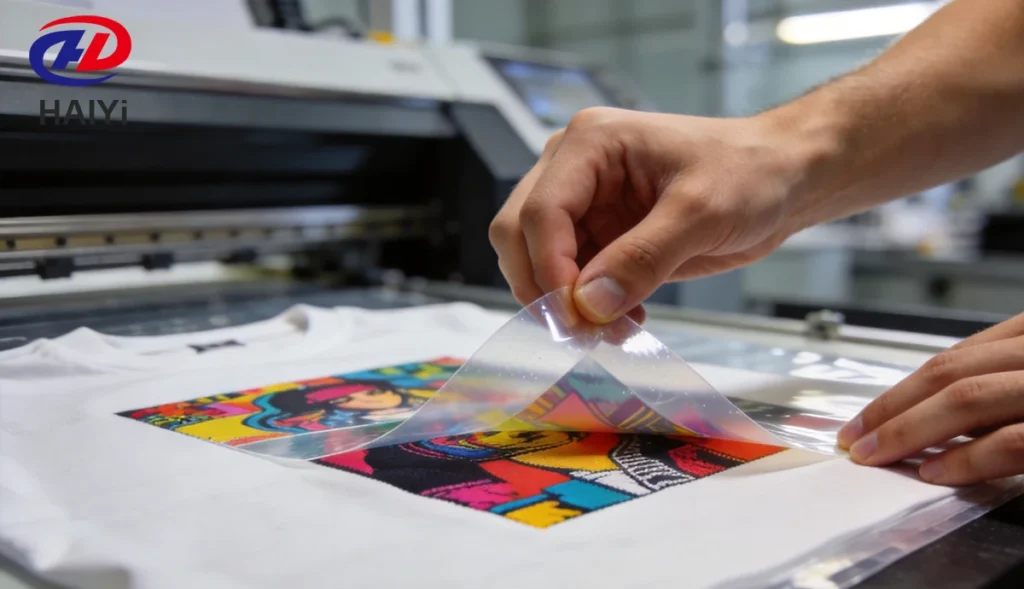
- The correct peel technique is as important as the correct settings: always peel at a flat, low angle rolling back rather than pulling straight up
- The second press after peeling — 5 to 10 seconds through parchment paper — must use parchment or Teflon sheet, never bare platen contact, to avoid creating a new adhesion problem
Hard to Peel vs. Won’t Peel: Two Different Problems
Before working through causes, identify which failure pattern you are experiencing — they have different root causes.
Pattern A: Film is extremely stiff and requires significant force to start peeling The film feels bonded rather than just resting on the transfer surface. Starting the peel requires forcing a corner up from the fabric. Once started, the peel proceeds with heavy resistance throughout. Most likely cause: over-pressing (temperature too high, time too long, or pressure too great). The release layer has been damaged by excessive heat or pressure.
Pattern B: Film starts to peel but ink lifts with it The film peels relatively easily, but the design is being pulled from the fabric rather than staying on it. Film and design are moving together. Most likely cause: wrong peel timing — cold peel film peeled before fully cooling, or under-pressing (the adhesive was never fully activated, so the design bonds to the film more than to the fabric).
Pattern C: Film releases in patches — some areas clean, others stuck Parts of the transfer peel cleanly; other areas resist strongly or tear. Most likely cause: uneven heat press pressure (cold spots), excess powder in specific areas creating additional adhesion, or inconsistent film coating.
Pattern D: Film releases cleanly from design but leaves film fragments or residue on the garment The film itself tears during peeling, leaving sections behind. Most likely cause: over-pressing has degraded the film’s mechanical integrity, or film quality is insufficient for the pressing parameters used.
Pattern E: Film was easy to peel on previous jobs, now consistently difficult Something changed. The most likely variable changes: new roll of film (different coating), temperature setting drift (press thermostat), new ink batch, or environmental change (high humidity).
Cause 1 — Over-Pressing: Too Much Heat, Time, or Pressure
This is the most common cause of DTF film that is hard to peel, and it is the most frequently misunderstood.
The DTF film’s release coating is engineered to hold the ink during printing and release it cleanly during pressing. This release mechanism operates within a specific temperature and pressure range. When pressing parameters exceed this range, the release coating partially fuses with the ink and adhesive layers — creating a bond between film and design that was not supposed to exist.
Temperature Too High
The release coating begins to break down at temperatures significantly above the recommended range. For most standard DTF film, the recommended pressing temperature is 305 to 325°F (152 to 163°C). At temperatures above 340°F (170°C), release coating degradation accelerates. The result is film that bonds more tightly to the design than it releases.
Diagnostic test: If the film is extremely difficult to peel and the finished design has a slightly glossy or plasticky appearance that is harder and less flexible than usual, over-temperature is likely.
Fix: Reduce press temperature by 10 to 15°F. Verify actual platen temperature with a contact thermometer — press displays frequently read 15 to 30°F higher than the actual surface temperature. If the display reads 320°F and the platen is actually 335°F, you are already over-pressing before adding any additional correction.
Press Time Too Long
Extended pressing time at correct temperature produces the same result as higher temperature at normal time. The release coating has more time to absorb heat and degrade.
Diagnostic test: If peel difficulty correlates with longer press cycles (jobs where you added extra time for thick fabric or unusual substrates), press time is likely the variable.
Fix: Return to the standard press time for the fabric type. For thick fabrics where you added time, try increasing pressure slightly instead of extending time — better pressure penetration, less release coating damage.
Pressure Too High
Extreme pressure physically compresses the release layer and forces the film into tighter contact with the ink surface. Combined with heat, this can create mechanical bonding between film and ink that the release coating cannot overcome.
Diagnostic test: If the peel difficulty affects the center of the design more than the edges (center experiences maximum pressure on most heat presses), pressure is likely contributing.
Fix: Reduce pressure one setting. The platen should compress the garment visibly but not crush it. On a screw-type press, three-quarter turn back from maximum is typically correct for most fabrics.
Cause 2 — Wrong Peel Type for Your Film
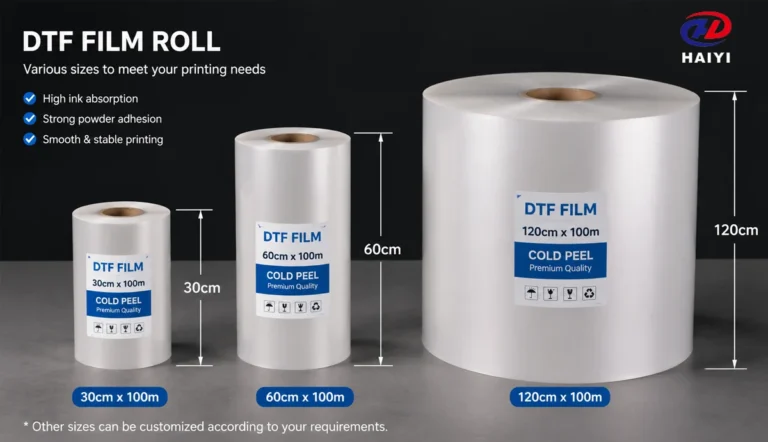
DTF film is manufactured for either hot peel or cold peel release — and using the wrong method for your film type produces predictable peel failures.
Hot Peel Film Allowed to Cool
Hot peel film is engineered to release at warm temperatures — the release coating is formulated to separate from the ink layer while the adhesive is still partially fluid. As the film cools, the release coating forms a stronger bond with the adhesive layer. The longer hot peel film sits after pressing before being peeled, the harder it becomes to remove.
Signs: Film was easy to peel when pressed immediately, but jobs where you delayed peeling (stacking shirts, answering a call, moving to another task before peeling) required noticeably more force.
Fix: Peel hot peel film within 10 to 15 seconds of removing the garment from the press. Set up your workflow so peeling happens immediately — no stacking of unpeel transfers, no delays.
Cold Peel Film Peeled Too Early
Cold peel film is engineered to release after the adhesive has fully solidified. The release coating is formulated for clean separation only when cooled. Attempting to peel cold peel film while still warm means the adhesive layer is still partially fluid — the film resists separation because the system is not yet in its release state.
Signs: Film requires significant force when peeled within 30 seconds of pressing but releases easily after 90 seconds of cooling.
Fix: Allow full cooling — at least 60 to 90 seconds at room temperature — before beginning to peel cold peel film. If your production environment is warm, allow additional time.
How to Identify Your Film’s Peel Type
Most quality film suppliers label rolls as hot peel or cold peel on the packaging. If unlabeled, test a small sample: hot peel film releases cleanly and easily within 10 seconds; cold peel film resists peeling when warm and releases cleanly once cool.
Cause 3 — Peeling at the Wrong Temperature
Even with the correct film type, the temperature at which you begin peeling significantly affects peel resistance.
For hot peel film: the optimal peel window is 140 to 170°F (60 to 77°C) at the film surface — warm enough for the release coating to be in its release state, not so hot that the ink is still completely fluid.
For cold peel film: the optimal peel temperature is room temperature or below — 68 to 77°F (20 to 25°C). Peeling at any temperature above room temperature on cold peel film means the adhesive has not fully set.
The practical guidance: for hot peel, peel immediately after pressing. For cold peel, wait until the garment and film feel cool to the touch throughout the design area — not just at the edges.
A common error: the garment edges cool faster than the center of a large design. Pressing a full front design and waiting only 30 seconds leaves the center still warm even if edges are cool. For large cold peel designs, allow 90 seconds minimum.
Cause 4 — Excess Adhesive Powder on the Film Surface
Hot-melt adhesive powder that remains on the film surface outside the design area creates unintended adhesion between the film and the garment during pressing. This additional adhesion makes peeling harder because you are now separating film from garment across a larger area than just the design.
How Excess Powder Causes Hard Peeling
When powder adheres to non-printed film areas, pressing melts that powder and bonds it to the garment fabric — exactly as intended in the design area. The film is now bonded to both the design area (intentional) and the surrounding area (unintentional). The unintentional bonds must be broken during peeling, which significantly increases peel force required and can cause the film to tear.
Why Excess Powder Happens
Single-sided DTF film with no anti-static back coating allows static electricity to attract powder to non-ink areas of the film. The more powder contamination, the harder the peel.
Fix: Switch to dual-matte anti-static DTF film. The anti-static surface coating prevents static-driven powder adhesion to non-printed areas. With properly anti-static film, powder adheres only to wet ink and falls away from unprinted areas during the shaking step.
If already using dual-matte film and still experiencing excess powder: increase cleaning frequency of your powder shaker chamber (powder buildup on chamber walls increases static), and ensure the film path between printer and powder chamber is clean.
Cause 5 — Film Coating Fused to the Ink Layer
This cause is related to over-pressing but has a distinct mechanism. The release coating on the film is a thin layer designed to hold the ink during printing and release it during pressing. If the coating has degraded — through excessive heat exposure during pressing, improper storage, or low coating quality — it may fuse chemically with the ink layer rather than releasing from it.
Signs of coating fusion:
- Film peels but pulls a thin skin of coating away from the design, leaving a matte or hazy surface on the finished transfer
- Some areas of the design appear slightly embedded into the film surface rather than sitting cleanly on it
- The problem is consistent across an entire roll, not just isolated to some sheets
Distinguishing from over-pressing: Coating fusion that appears across an entire roll at settings that previously worked indicates a film quality or storage problem, not a settings problem. If new film from the same roll all behaves consistently differently from previous rolls at the same settings, the coating is the likely cause.
Fix: Test a sheet from a fresh roll or a roll from a different supplier at your standard settings. If the peel problem disappears, the previous roll had coating issues. Source film from a manufacturer that develops its own coating formula in-house — a proprietary coating formula applied under controlled conditions produces consistent release behavior roll to roll, which generic pre-coated PET substrate cannot guarantee.
Cause 6 — Ink Over-Saturation or Heavy White Ink Deposit
Excessive ink density — particularly a very heavy white ink underbase layer — creates a thicker ink-plus-adhesive layer that bonds more aggressively to the film during pressing. The additional thickness also means more time is required for the adhesive to transition from fluid to solid during cooling (cold peel) or less margin for the release coating to function at temperature (hot peel).
Signs: Peel difficulty correlates with designs that use 100% coverage white underbase across the full design area, or very high CMYK density on top of white. Lower-coverage designs on the same film press cleanly.
Fix: Review white ink density settings in your RIP software. Most designs do not require 100% white coverage — 70 to 85% white underbase is sufficient for opacity on dark fabrics while reducing ink thickness. For designs with unavoidably heavy coverage, extend cooling time before peeling by 30 to 45 seconds.
Cause 7 — Film Stored Incorrectly Before Use
DTF film stored in high humidity absorbs moisture into the coating layer. This moisture alters the coating’s chemical properties — specifically the release layer’s ability to separate from the cured ink and adhesive.
Moisture-compromised film typically shows two related problems: printing problems (inconsistent ink absorption) and peeling problems (variable release force across the same sheet). Both are symptoms of the same coating degradation.
Signs: Film stored in open packaging, in a humid environment, or exposed to temperature swings. Peel difficulty that is inconsistent across a sheet — some areas peel easily, others resist — is a hallmark of moisture-compromised coating.
Fix: Seal film packaging between uses. Store in a cool, dry location at 40 to 60% relative humidity. Use desiccant packs inside storage containers for rolls that will not be used within a week of opening. If film is already moisture-compromised, there is no effective way to restore the coating — use remaining stock quickly in non-critical applications and replace with properly stored film.
Cause 8 — Low-Quality Film with Inconsistent Release Coating
Generic DTF film sourced from manufacturers who purchase pre-coated PET substrate from external suppliers has inherent batch-to-batch variation in release coating quality. The coating formula is not controlled by the film supplier — it is controlled by the substrate manufacturer, whose quality consistency the film supplier cannot guarantee.
The commercial consequence: some rolls release easily at standard settings. Others — from the same supplier at the same stated specifications — require significantly more force. The difference is invisible until you press and peel.
Signs of release coating inconsistency:
- Peel behavior varies significantly between rolls that should be identical
- Settings that work perfectly on some rolls require adjustment on others
- The problem cannot be resolved by adjusting temperature, time, or pressure — all settings that worked previously
Fix: Source DTF film from a manufacturer that develops and applies its own coating formula in-house. A proprietary release coating that is formulated, applied, and tested by the same company that makes the film produces consistent release behavior across every meter of every roll. This is the difference between a manufacturer and a reseller. Haiyi, for example, operates with in-house coating technology and tests release force measurements on every production batch — a quality control step that only a genuine coating manufacturer can perform.
How to Peel DTF Film Correctly: Technique Matters
Even with perfect settings and quality film, incorrect peeling technique causes unnecessary resistance and design damage. The mechanics of how you peel are as important as the mechanics of how you press.
The Correct Peel Motion
Wrong: Grasp a corner and pull upward — perpendicular to the garment surface. This applies maximum force directly against the adhesive bond and creates a stress concentration at the peel front that tears rather than releases.
Correct: Grasp a corner and roll the film back — pulling nearly parallel to the garment surface at a 15 to 30 degree angle. This creates a peeling force that works with the release coating rather than against it. The film separates progressively from the design edge rather than being ripped from it.
Peel Speed
Peeling fast creates mechanical shock at the peel front — the sudden force peak can lift ink from designs where the adhesive bond is strong. Peeling slowly maintains a constant, manageable force that the release coating can handle.
The rule: Slow and flat always produces better results than fast and steep, regardless of film type or settings.
Starting the Peel
On difficult films, the corner is often the hardest point to start. Gently flex the film away from the corner to break the initial adhesion, then transition into the rolling peel motion once the corner is free. Do not force the corner — if it requires significant effort to lift, allow more cooling time (cold peel) or ensure the film is warm enough (hot peel) before proceeding.
Peel Direction
Start from a corner or edge of the design, not the center. Working from the perimeter to the center means you are peeling with the smallest adhesion area first and progressively reducing the bonded surface. Starting from the center means you are fighting the full adhesion area simultaneously.
Hot Peel vs. Cold Peel: Which Is Harder to Remove and Why
This question comes up regularly, and the answer depends on timing.
Hot peel film peeled at the correct time (warm, within 15 seconds): Should release with minimal resistance — the release coating is in its active state, and the adhesive is still partially fluid. Very easy peel when done correctly.
Hot peel film peeled too late (after cooling): Becomes progressively harder to remove as the adhesive solidifies. By the time the shirt has fully cooled, hot peel film may require significant force — damage to the design is likely.
Cold peel film peeled at the correct time (fully cooled): Should release with moderate, consistent resistance — easier than improperly timed hot peel film. Clean, even separation across the full design area.
Cold peel film peeled too early (still warm): Resists separation — the adhesive is still fluid, and the design wants to follow the film rather than staying on the garment. Force required increases as you work against the system’s intended release state.
The practical conclusion: correctly timed cold peel is easier and more forgiving than hot peel. Cold peel gives you a 60 to 120-second window for peeling; hot peel gives you 10 to 15 seconds. Most peel problems occur because operators are not timing peel consistently — which makes cold peel the lower-error-rate method for most production environments.
What to Do When the Film Is Already Stuck
The transfer is on the press, you have already attempted to peel, and the film is stuck. Here is how to rescue the job.
For Hot Peel Film That Has Cooled
Re-press the transfer for 3 to 5 seconds at standard temperature. This re-activates the release coating and brings the film back into its release state. Immediately begin peeling — within 5 seconds of opening the press. Work quickly and at a flat angle.
For Cold Peel Film That Is Resisting
If cold peel film is resisting at room temperature, do not force it. The resistance means the adhesive has not yet fully transitioned to its release state — possibly because the design was very thick or the pressing environment is warm.
Allow an additional 2 to 3 minutes of cooling. Place the garment on a cool surface if available. If the ambient temperature is above 80°F (27°C), the film may need extended cooling time. Once fully cooled, peel at the flattest possible angle.
For Film Fused to the Design (Any Type)
If the film is clearly fused — not just resistant but mechanically bonded — the transfer is likely unsalvageable without damaging the design. Attempting to force it will tear the design. Examine the settings and process to identify the over-pressing or coating failure that caused the fusion before running the next shirt.
Prevention Checklist
Run through this checklist before every production session to prevent peel problems before they happen.
Settings verification:
- Press temperature verified with contact thermometer (not display reading only)
- Press time set to fabric-appropriate standard (not extended from previous thick-fabric job)
- Pressure at medium-high (not maximum)
Film verification:
- Film type confirmed — hot peel or cold peel
- Film stored correctly — sealed packaging, cool dry location
- Film inspected for moisture damage or coating irregularities on first sheet
Powder verification:
- Powder applied to wet ink immediately after printing
- Excess powder shaken off thoroughly before curing
- Anti-static dual-matte film in use (eliminates non-print-area powder adhesion)
Workflow:
- Hot peel: peel within 15 seconds of pressing
- Cold peel: allow minimum 60 to 90 seconds of cooling before peeling
- Peel at flat angle (15 to 30 degrees), rolling back, not pulling up
- Second press performed through parchment paper or Teflon sheet — never direct platen contact
FAQ
Why is my DTF film so hard to peel? The most common causes are over-pressing (temperature too high, time too long, or pressure too great — degrading the release coating), wrong peel timing (hot peel film allowed to cool before peeling, or cold peel film peeled while still warm), or excess adhesive powder on non-print areas creating additional adhesion points. Check your press temperature with a contact thermometer first — displays are frequently inaccurate by 15 to 30°F.
Should I peel DTF film hot or cold? This depends entirely on which type of film you have. Hot peel film must be peeled within 10 to 15 seconds of pressing while still warm. Cold peel film must be peeled after fully cooling — at least 60 to 90 seconds at room temperature. Peeling hot peel film after cooling and peeling cold peel film before cooling are both common causes of peel resistance and design lifting.
My DTF film started peeling but is lifting the design with it — what is wrong? Ink lifting during peeling means the design is bonded more to the film than to the fabric. Causes: cold peel film peeled before fully cooling (adhesive still fluid), under-pressing (transfer never fully activated), or wrong peel angle (pulling perpendicular instead of rolling at a flat angle). Re-press the garment if lifting occurs and wait longer before the next peel attempt.
Why does my DTF film peel easily in some areas and stick in others? Patchy peel resistance — some clean areas, some stuck areas — indicates either uneven heat press temperature (cold spots), inconsistent powder application that created additional adhesion in specific areas, or film coating inconsistency (characteristic of generic pre-coated PET film with variable release coating quality). Check your press for cold spots using heat-sensitive paper and test film from a manufacturer with documented coating quality control.
Can I fix film that is already stuck after pressing? For hot peel film that has cooled: re-press for 3 to 5 seconds to re-activate the release coating and peel immediately. For cold peel film resisting: allow more cooling time — up to 3 minutes at room temperature. If the film is fused (bonded rather than just resistant), the transfer may not be salvageable without damaging the design.
How does excess powder make DTF film hard to peel? Excess adhesive powder on non-printed areas of the film melts during pressing and bonds to the garment fabric — just as the powder in the design area is intended to do. This creates unintended adhesion points between the film and the garment outside the design. Peeling must break these unintended bonds as well as release the design, requiring more force. Anti-static dual-matte film prevents this by eliminating powder adhesion to non-printed areas.
Why does my DTF film peel hard from certain fabric types? Rough or textured fabrics (terry cloth, corduroy, heavy fleece) create more contact surface area between film and fabric, which increases overall adhesion strength and makes peeling require more force. Polyester and synthetic fabrics can also affect release behavior because the adhesive bonds differently to synthetic fibers than to cotton. For difficult fabrics, ensure cold peel with full cooling time and use the flattest possible peel angle.
Is cold peel or hot peel harder to remove? When done correctly, neither is particularly difficult. Hot peel done correctly (peeled immediately while warm) is very easy. Cold peel done correctly (peeled after full cooling) requires moderate, consistent force. However, hot peel done incorrectly (delayed peeling after cooling) becomes significantly harder than properly timed cold peel. Cold peel is more forgiving of timing variation and produces more consistent results in most production environments.
Conclusion
DTF film that is hard to peel is a solvable problem, not a mystery.
The cause is almost always one of three things: the pressing parameters exceeded the release coating’s working range (over-pressing), the peel was attempted at the wrong temperature for the film type (timing error), or the film itself has inconsistent or degraded release coating (quality problem).
Work through the causes in order of likelihood:
- Verify actual press temperature with a contact thermometer — not the display
- Confirm your film’s peel type (hot or cold) and match your timing accordingly
- Check for excess powder on non-print areas — switch to anti-static dual-matte film
- Review press time and pressure settings — reduce if recently changed
- Evaluate film quality if problems are inconsistent across rolls that should be identical
The peel technique matters as much as the settings: flat angle, slow pace, rolling back rather than pulling up. Correct technique reduces the force required by the release coating and prevents design lifting even when other variables are slightly off.
For recurring problems that cannot be resolved through settings adjustment, the film is the variable to investigate last — but it is also the variable that no amount of process adjustment can compensate for if the release coating is defective. Factory-direct film from a manufacturer with in-house coating technology and documented release force testing eliminates coating inconsistency from your troubleshooting equation.
Haiyi manufactures DTF film with proprietary in-house coating technology — dual-matte anti-static rolls in 13-inch and 24-inch widths, A3/A4 sheets, and hot peel and cold peel variants. Release force is tested on every production batch. Factory-direct wholesale pricing, low MOQ, and 15 years of export experience.