





Can You Sublimate On DTF Film

Read time: 13 minutes
The Experiment Nobody Warned You About
Jenna already had a sublimation printer. She used it for mugs, mousepads, and light-colored polyester shirts. Business was decent.
Then a customer asked for a custom design on a black cotton hoodie.
Sublimation cannot print on dark fabrics. That is not a setting — it is chemistry. Sublimation ink has no white layer to create opacity. On a black shirt, the dye disappears into the fabric and you get nothing.
Jenna started searching. She found the same phrase repeated across DTF printing forums: “sublimation hack with DTF film.” The idea: use her existing sublimation printer, swap to DTF film, add DTF powder, and get dark-fabric transfers without buying a separate DTF printer.
She tried it.
The results were not what she expected. Some things worked. Some things did not. And the gap between what the internet promised and what her garments looked like after three washes was significant.
This article gives you the complete, honest picture of the sublimation-to-DTF hack — what it is, how it works, where it genuinely succeeds, where it quietly fails, and what you actually need to make it worth doing.
Key Takeaways
- Technically yes — sublimation ink can be printed onto DTF film, powdered with hot-melt adhesive, and heat-pressed to fabric as a DTF-style transfer
- The process works because both DTF and sublimation use water-based inks that can bond to the DTF film’s coating surface; the DTF powder creates the adhesive layer that standard sublimation lacks
- The critical limitation: sublimation ink has no white layer. The “sublimation hack on dark shirts” produces noticeably less vivid colors than standard DTF because white ink opacity — which makes DTF colors pop on dark fabric — is absent from the sublimation ink system
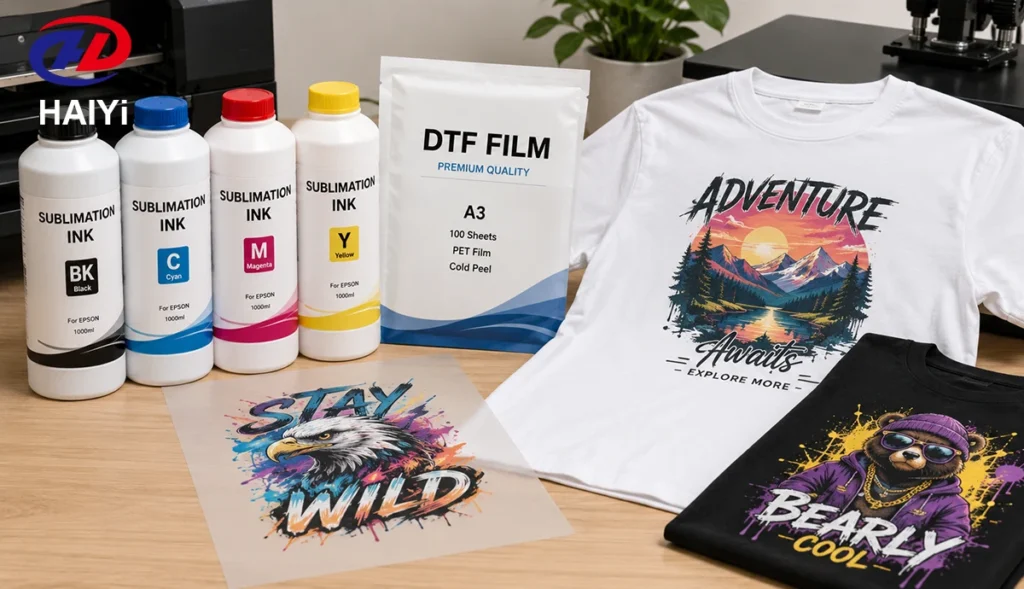
- DTF film for sublimation printer: a standard DTF PET film works, but the coating must accept water-based inks — confirm with your DTF film manufacturer that the film is compatible with sublimation-formulated water-based pigment inks
- Wash durability of the hack: adequate for light-use garments (15 to 25 washes), inferior to standard DTF (50+ washes) because sublimation ink does not bond to the DTF adhesive the same way DTF-specific water-based pigment ink does
- The hack makes most economic sense for operators who already own a sublimation printer, need occasional dark-fabric transfers, and cannot justify a full DTF printer investment
- For any serious volume on dark fabrics, a dedicated DTF printer with proper DTF ink produces dramatically better results
- Sublimation film for phone cases is a completely different product and process — not related to the DTF sublimation hack
Can You Use Sublimation Ink on DTF Film? The Direct Answer
Yes. With significant limitations.
Sublimation ink is a water-based ink. DTF film’s coating is designed to accept water-based inks — specifically DTF water-based pigment ink. Since both are water-based, sublimation ink will adhere to the DTF film coating surface well enough to print.
Apply DTF powder to the wet sublimation ink on the film, cure the powder, press to fabric, peel — and you get a transfer that bonds to the garment.
So the technique works.
What it does not do is produce results equivalent to a standard DTF setup. The differences are real and matter depending on your use case:
White ink: Standard DTF uses a white ink underbase layer printed beneath CMYK colors to create opacity on dark fabrics. Sublimation ink sets have no white ink. Without this base layer, colors on dark fabric are noticeably less vivid — you are relying entirely on the ink’s own color density against the dark background, which is not how DTF is supposed to work.
Ink chemistry: DTF water-based pigment inks are formulated to bond with DTF adhesive powder at the molecular level. Sublimation inks are formulated to sublime — to convert to gas and bond with polyester fibers. Their bonding chemistry with DTF adhesive is different and generally weaker. This shows up in wash durability.
Printer compatibility: Your sublimation printer’s print heads must be able to run the current DTF ink (sublimation) with the film in the correct orientation. Most desktop Epson-based sublimation printers can manage this.
So: yes, it works. No, it does not replace a proper DTF setup.
DTF vs Sublimation: Why They Are Different Technologies
To understand why the hack has limitations, you need to understand why these two technologies exist as separate things.
| Feature | DTF Printing | Sublimation Printing |
|---|---|---|
| Ink type | Water-based pigment with white | Dye-based, no white ink |
| Transfer mechanism | Hot-melt adhesive powder bonds to fabric surface | Dye converts to gas, bonds with polyester fibers |
| Works on cotton | Yes | No |
| Works on dark fabrics | Yes (white ink creates opacity) | No (no white ink, dark base shows through) |
| Works on polyester | Yes | Yes (best performance) |
| Surface feel | Thin flexible layer | Zero feel — embedded in fibers |
| Wash durability | 50+ wash cycles | Permanent |
| Requires DTF printer | Yes (for full quality) | No (uses sublimation printer) |
| Requires heat press | Yes | Yes |
The fundamental difference: sublimation is a dyeing process. DTF is an adhesive transfer process. The sublimation hack attempts to combine a dye-based ink (sublimation) with an adhesive transfer process (DTF) — which works mechanically, but loses the benefits of both methods in the process.
The DTF Sublimation Hack Explained: How It Actually Works
The DTF sublimation hack is based on a real technical overlap between the two processes.
Both DTF pigment inks and sublimation inks are water-based. Both will adhere to the DTF film’s coated surface when printed through an inkjet printer. The coating does not “know” which water-based ink it is receiving — it accepts both.
The hack works because:
- The sublimation printer prints onto DTF film instead of sublimation paper
- The DTF film holds the ink on its coated surface (since the sublimation temperature is never reached, the ink never actually sublimes — it just sits on the film as pigment)
- DTF hot-melt powder is applied while the ink is wet, just as in standard DTF workflow
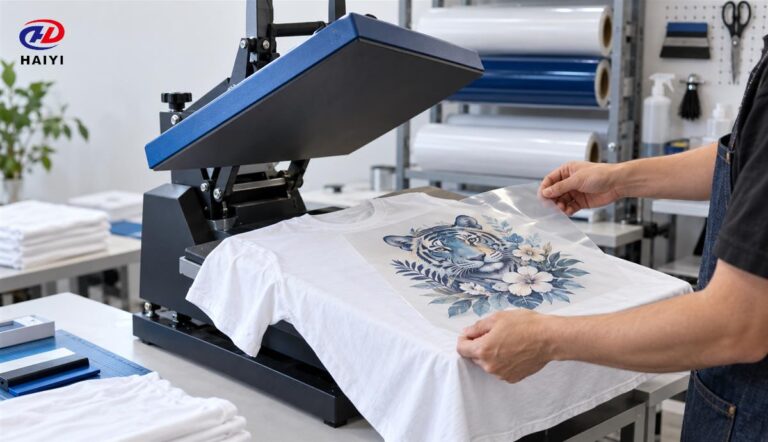
- The powder is cured, the transfer is pressed to fabric, and the adhesive bonds the design to the garment
At no point does the sublimation ink actually do what sublimation ink is designed to do — sublimate. It behaves as a surface-deposited pigment ink, held to the garment by the DTF adhesive powder.
This is why it works on any fabric, including cotton and dark shirts. The adhesive powder carries the design to the fabric regardless of fabric type. This is also why the results are not as good as standard DTF — the ink was designed for sublimation, not for adhesive transfer.
How to Use DTF Powder with a Sublimation Printer: Step by Step
Here is the complete process for the DTF sublimation hack.
What You Need
- Sublimation printer (Epson EcoTank or equivalent with sublimation ink loaded)
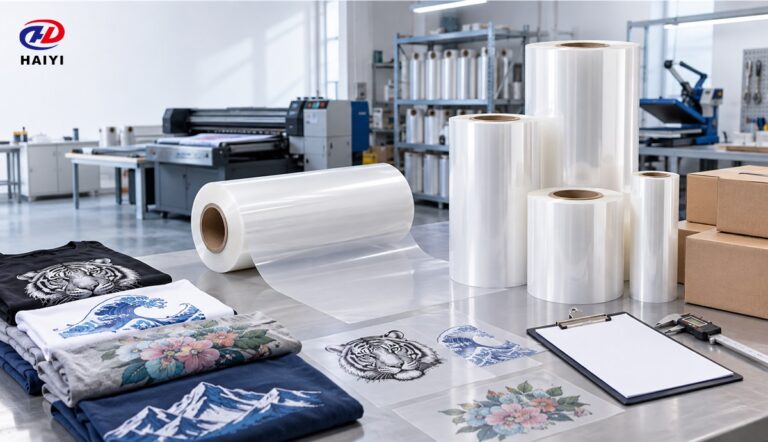
- DTF film sheets (A4 or A3 — must be compatible with water-based inks)
- Hot-melt DTF adhesive powder (standard fine-grade TPU powder)
- Heat gun, curing oven, or powder shaker for curing
- Heat press
- Blank garment
Step 1 — Prepare Your Design File
Create your design as a PNG with transparent background at 300 DPI, RGB color mode.
Critical note: Do not include a white underbase in your design file for the sublimation hack. Your sublimation printer cannot print white — adding a white layer to the file will result in nothing being printed in those areas (sublimation printers skip white). The lack of white underbase is the main visual limitation of this technique.
Step 2 — Load DTF Film Into the Sublimation Printer
Load A4 or A3 DTF film sheets with the coated (matte/frosted) side facing the print heads. The back (glossy side) faces away from the heads.
Confirm the printer settings are set for standard paper (do not use “sublimation paper” profile if it changes ink density — use a profile that applies full ink density). Mirror the design in the print settings.
Step 3 — Print
Print the design. The sublimation ink will sit on the DTF film coating surface since it is not being heated to sublimation temperature — it stays as a surface pigment layer.
Handle the printed film carefully. The ink is wet. Do not touch the print surface.
Step 4 — Apply DTF Powder Immediately
While the ink is still wet, apply hot-melt DTF adhesive powder evenly across the entire printed surface. Shake off excess. Ensure complete powder coverage at design edges and fine detail areas.
This step is identical to standard DTF workflow — the powder does not care whether the ink is DTF-specific or sublimation. It bonds to wet pigment either way.
Step 5 — Cure the Powder
Cure at 250 to 280°F (120 to 140°C) until the powder surface appears smooth and slightly glossy with orange-peel texture. Under-curing is the most common failure point of the sublimation hack — operators used to standard DTF sometimes under-cure because the sublimation ink’s thinner pigment deposit gives a visual appearance of full cure before it actually is.
Allow the film to cool completely.
Step 6 — Press to Garment
Press at 315 to 325°F (157 to 163°C) for 10 to 15 seconds on cotton. The parameters are the same as standard DTF pressing.
Step 7 — Peel
Cold peel produces better results with the sublimation hack than hot peel. Because the ink-to-adhesive bond is somewhat weaker than in standard DTF, cold peel reduces the mechanical stress on the design during film separation. Peel at a flat angle, slowly and evenly.
Step 8 — Second Press
Always second-press for 5 to 10 seconds through parchment paper. The second press is even more important for the sublimation hack than for standard DTF, because the weaker initial bond benefits significantly from the additional adhesive setting.
DTF Sublimation Hack on Dark Shirts: The Truth
The DTF sublimation hack on dark shirts is the most searched version of this technique — and the most misrepresented.
Yes, the technique works on dark shirts. The DTF adhesive carries the design to the fabric regardless of shirt color.
But here is what the photos in YouTube tutorials do not show you: without white ink, colors on dark fabric look significantly different from standard DTF.
Standard DTF on a black shirt: the white ink underbase layer creates a fully opaque white “canvas” that CMYK colors print on top of. The result is vivid, accurate color — the design looks exactly as it did on screen.
Sublimation hack on a black shirt: there is no white underbase. The CMYK colors from sublimation ink sit directly on top of the dark fabric, with only the thin adhesive layer between them. The dark fabric absorbs some of the light that would normally reflect the color back to the viewer. Blues look less saturated. Reds have a darker tone. Lighter colors like yellow or pink are most affected — they can appear dingy or almost invisible on very dark substrates.
Who does not notice this? Customers buying garments for personal use at low price points, or for designs where bold graphics (dark outlines, high contrast) mask the reduced color vibrancy.
Who definitely notices? Anyone comparing a sublimation-hack shirt next to a properly printed DTF shirt. Any customer who ordered a bright, light-colored design on a dark shirt. Any serious print business that has quality standards.
The hack is a workaround, not a replacement. Be honest about this with yourself and your customers.
What Film to Use: DTF Film for Sublimation Printer
Not all DTF film performs equally well with sublimation ink. Here is what to look for.
Coating Compatibility
DTF film’s coating is designed primarily for water-based DTF pigment ink. Sublimation ink is also water-based, so it generally accepts it. However, not all coating formulations accept sublimation ink at the same absorption rate.
Ask your DTF film manufacturer: “Is your film compatible with water-based sublimation ink, or is it optimized specifically for DTF water-based pigment ink?” A manufacturer with in-house coating technology can answer this specifically. A reseller cannot.
In practice, most standard dual-matte DTF film accepts sublimation ink adequately for the hack. The result quality depends more on the ink-adhesive interaction than on the film coating.
Film Format for the Sublimation Hack
Use A3 or A4 sheets rather than roll format for the sublimation hack if your printer is an A3 desktop sublimation unit. Most desktop sublimation printers are sheet-fed and cannot handle large rolls.
Confirm the sheet dimensions fit your specific printer’s feed width before ordering. Standard A4 (210 × 297 mm) and A3 (297 × 420 mm) sheets work in most desktop Epson-based sublimation printers.
Anti-Static Dual-Matte
For the sublimation hack, anti-static dual-matte film is particularly important. The thinner sublimation ink deposit is more sensitive to powder contamination in non-print areas — areas that appear blank may have very light ink deposits that are harder to see but still attract powder. Anti-static film minimizes this.
Sublimation Film for Phone Cases: A Separate Application
Searches for “sublimation film for phone cases” often appear alongside DTF sublimation hack searches. These are completely different products and processes — do not confuse them.
Sublimation film for phone cases refers to the protective film or coating used on phone cases that have been treated to accept sublimation ink directly. These cases have a special polymer coating that allows sublimation dye to bond with them under heat. This is standard sublimation printing, not a hack.
The DTF sublimation hack on phone cases is not recommended. DTF adhesive film transfers are designed for flexible textile surfaces. Hard, rigid surfaces like phone cases require UV DTF film and UV-curable ink — the A/B film system that transfers designs to hard surfaces without heat pressing. A DTF powder transfer applied to a rigid phone case will peel off within days because the adhesive is designed to bond with fabric fibers, not rigid substrates.
If you need to decorate phone cases, use UV DTF — not the sublimation DTF hack.
DTF Kit for Sublimation Printer: What You Need
To run the sublimation DTF hack, you do not need to buy much. Here is the practical kit.
| Item | What to Get | Notes |
|---|---|---|
| Sublimation printer | The one you already own | Most Epson EcoTank-based sublimation printers work |
| DTF film | A4/A3 dual-matte anti-static sheets | Confirm water-based ink compatibility with manufacturer |
| DTF adhesive powder | Fine-grade TPU hot-melt powder | Standard DTF powder works |
| Curing method | Heat gun (minimum), oven (better) | Consistent temperature is critical |
| Heat press | Standard 15×15 inch | Clamshell or swing-away |
| Parchment paper | For second press | Mandatory |
Total additional investment if you already own the sublimation printer: approximately $50 to $150 for film sheets, powder, and parchment paper.
This is the cost advantage of the hack. You are not buying a DTF printer ($600 to $1,500 for an entry-level desktop unit) — you are buying consumables.
Results Comparison: DTF with Sublimation Ink vs Proper DTF Ink
Honest side-by-side assessment:
| Factor | DTF with Sublimation Ink (Hack) | Standard DTF with DTF Ink |
|---|---|---|
| Color on light fabrics | Good | Excellent |
| Color on dark fabrics | Reduced vibrancy (no white base) | Excellent (white underbase) |
| Fine detail | Adequate | Excellent |
| Wash durability | 15–25 wash cycles | 50+ wash cycles |
| Edge quality | Moderate — cold peel required | Excellent with correct settings |
| Cost per transfer | Low (using existing printer) | Slightly higher (DTF ink cost) |
| Equipment investment | None (if you have sublimation printer) | $600–$1,500 for DTF printer |
| Suitable for professional use | Low volume, personal-use level | Yes, professional production |
| Consistent batch results | Variable | Consistent |
When the Hack Is Worth It and When It Is Not
The Hack Is Worth Trying When:
You already own a sublimation printer and have occasional dark-fabric requests. Instead of turning down every black cotton order, the hack lets you say yes — with the honest caveat that the results are not quite as vivid as full DTF.
You are testing the DTF market before investing in equipment. The hack gives you real production experience with DTF workflow — powder, curing, pressing, peeling — before committing $600 to $1,500 to a dedicated printer. If the workflow suits your business, upgrade to proper equipment.
The design is high-contrast with bold colors. Dark blues, deep reds, and black outlines on dark shirts hold up better than pastels and light colors without white underbase. If your customers’ designs tend toward bold, the vibrancy limitation matters less.
The Hack Is Not Worth Doing When:
Your customers expect vivid color on dark fabrics. Light yellows, pastels, and skin tones on black or dark shirts will disappoint. This is not a settings problem — it is a chemistry problem that the hack cannot solve without white ink.
You need consistent professional results. The hack’s wash durability (15 to 25 cycles) is significantly below standard DTF (50+). For any brand or business that expects garments to last, the hack is a compromise.
Your volume has grown beyond occasional requests. At 20+ dark-fabric shirts per day, the economics of buying a dedicated DTF printer pay off within 3 to 4 months. At that point the hack is costing you quality, not saving you money.
About Haiyi: DTF Film Manufacturer for Both Standard and Sublimation Workflows
Jenna eventually bought a dedicated DTF printer. Not immediately — she ran the hack for three months, learned the workflow, built her dark-fabric client base, and then made the upgrade knowing exactly what she needed.
The film she used during that transition period? DTF film from a manufacturer whose coating team could confirm water-based ink compatibility — not just assume it.
Haiyi Material Technology Co., Ltd. is a genuine DTF film manufacturer based in Foshan, Guangdong, China. We develop our own coating formula in-house, produce at 60,000 sqm per day, and manufacture:
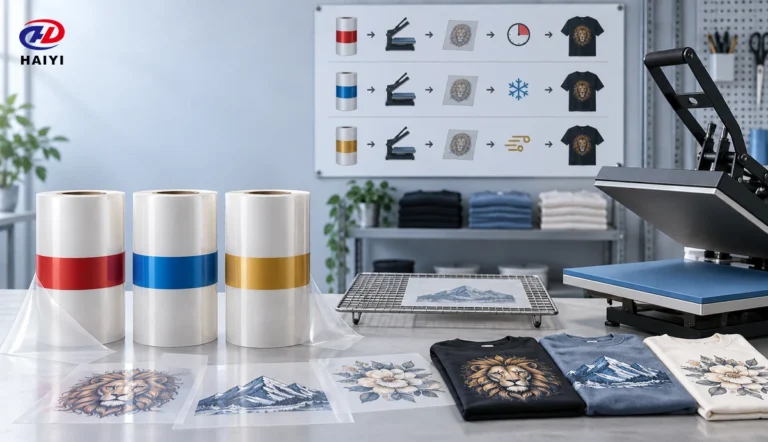
- DTF film (hot peel, cold peel, instant hot peel — dual-matte anti-static standard)
- UV AB film for hard surface UV DTF applications
- DTF printers, sublimation printers, and UV printers
For the sublimation hack workflow, our A4 and A3 sheet-format DTF film works with water-based sublimation inks — confirm compatibility with our technical team when ordering. For production-scale DTF printing, our 30 cm × 100 m and 60 cm × 100 m rolls provide the supply continuity and coating consistency that serious operations require.
Production formats:
- 30 cm × 100 m rolls (A3 desktop DTF printers)
- 60 cm × 100 m rolls (24-inch production printers)
- 1200 mm × 4000 m jumbo rolls (distributors and converters)
- A4 and A3 sheet packs
ISO 9001 and OEKO-TEX Standard 100 certified.
For wholesale DTF film, OEM/ODM, or DTF printer inquiries:
FAQ
Can you use sublimation ink on DTF film? Yes — technically. Sublimation ink is water-based and adheres to the DTF film coating. Combined with DTF hot-melt adhesive powder, it creates a transfer that bonds to any fabric type including cotton and dark shirts. The limitation: sublimation ink has no white layer, so colors on dark fabric are less vivid than standard DTF with proper white ink underbase.
What is the DTF sublimation hack? The DTF sublimation hack involves using a sublimation printer with sublimation ink on DTF film instead of sublimation paper, applying DTF hot-melt powder, curing, and pressing to fabric. This allows operators with existing sublimation printers to create DTF-style transfers on dark fabric without buying a separate DTF printer. Results are acceptable for light-use applications but not equivalent to standard DTF quality.
Does the DTF sublimation hack work on dark shirts? Partially. The transfer will bond to dark fabric — cotton, polyester, any color. But without white ink in the sublimation system, colors on dark shirts are noticeably less vibrant than standard DTF. Bold, high-contrast designs hold up better than light or pastel colors on dark backgrounds.
What DTF film should I use with a sublimation printer? Use standard dual-matte anti-static DTF film in A4 or A3 sheet format. Confirm with your DTF film manufacturer that the coating accepts water-based sublimation ink. Most standard DTF film coatings are compatible, but explicit confirmation from a manufacturer with in-house coating knowledge eliminates guesswork.
How many washes does the sublimation DTF hack last? Typically 15 to 25 wash cycles with proper technique (cold peel, second press, inside-out cold-water washing). This is significantly less than standard DTF (50+ wash cycles) because sublimation ink’s bonding chemistry with DTF adhesive is weaker than DTF-specific pigment ink.
Can I use a DTF kit with my sublimation printer? Yes. The additional materials you need for the hack are: DTF film sheets (A4/A3), DTF hot-melt adhesive powder, a heat gun or curing oven, and a heat press. If you already own a sublimation printer, this kit costs $50 to $150 and enables DTF-style transfers on dark fabric without buying a separate DTF printer.
Is sublimation film for phone cases the same as the DTF sublimation hack? No. Sublimation film for phone cases refers to polymer-coated cases that accept sublimation dye directly — standard sublimation printing. The DTF sublimation hack is not suitable for phone cases; DTF adhesive is designed for flexible textile surfaces, not rigid substrates. For phone case decoration, use UV DTF film and UV-curable ink.
Is DTF the same as sublimation? No. DTF is an adhesive transfer process where designs on PET film are bonded to any fabric using hot-melt powder and heat pressing. Sublimation is a dyeing process where dye converts to gas at high temperature and bonds permanently with polyester fibers. DTF works on any fabric including cotton and dark colors; sublimation only works on polyester and light-colored substrates. The DTF sublimation hack attempts to combine both using sublimation ink with DTF powder, with limitations on both quality metrics.
Conclusion
The sublimation DTF hack is a genuine technique that genuinely works — with genuinely significant limitations.
It lets you use equipment you already own to create transfers on dark fabric. That is real. It will not produce the same color vibrancy, wash durability, or edge quality as a proper DTF setup. That is also real.
Jenna found her answer somewhere between the two. The hack got her started. The results got her customers. The volume those customers generated justified buying proper equipment. The progression made complete sense.
If you are at the beginning of that progression — already owning a sublimation printer, curious about dark-fabric printing, not yet ready to invest in a DTF printer — the hack is a legitimate starting point. Use the right film, apply the powder carefully, cold peel, always second press, and be honest with yourself about the quality trade-offs.
When the trade-offs start costing you customers rather than saving you money, you will know it is time to upgrade. And when you do, you will already understand the workflow better than most people who bought a DTF printer and figured it out from scratch.